

Purchase code & Activation
Activate purchase code
How to active purchase code:
Theme license is a unique one-time code you get after purchasing Glozin. A valid license is required to manage the theme and get technical support.
Please follow this document to know how to find your purchase code.
Steps:
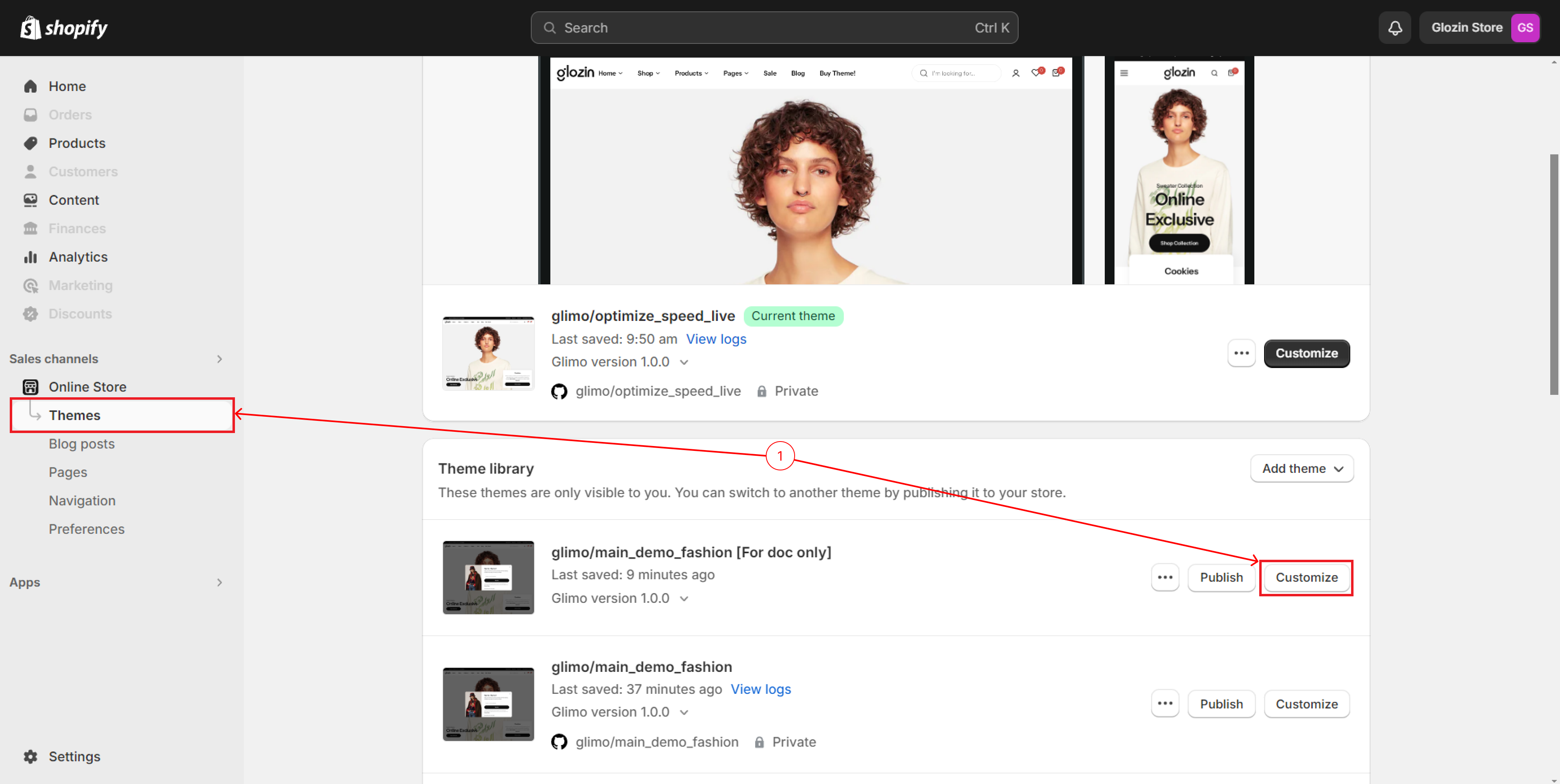
- From your admin, click to Online store ==> Themes ==> Customize
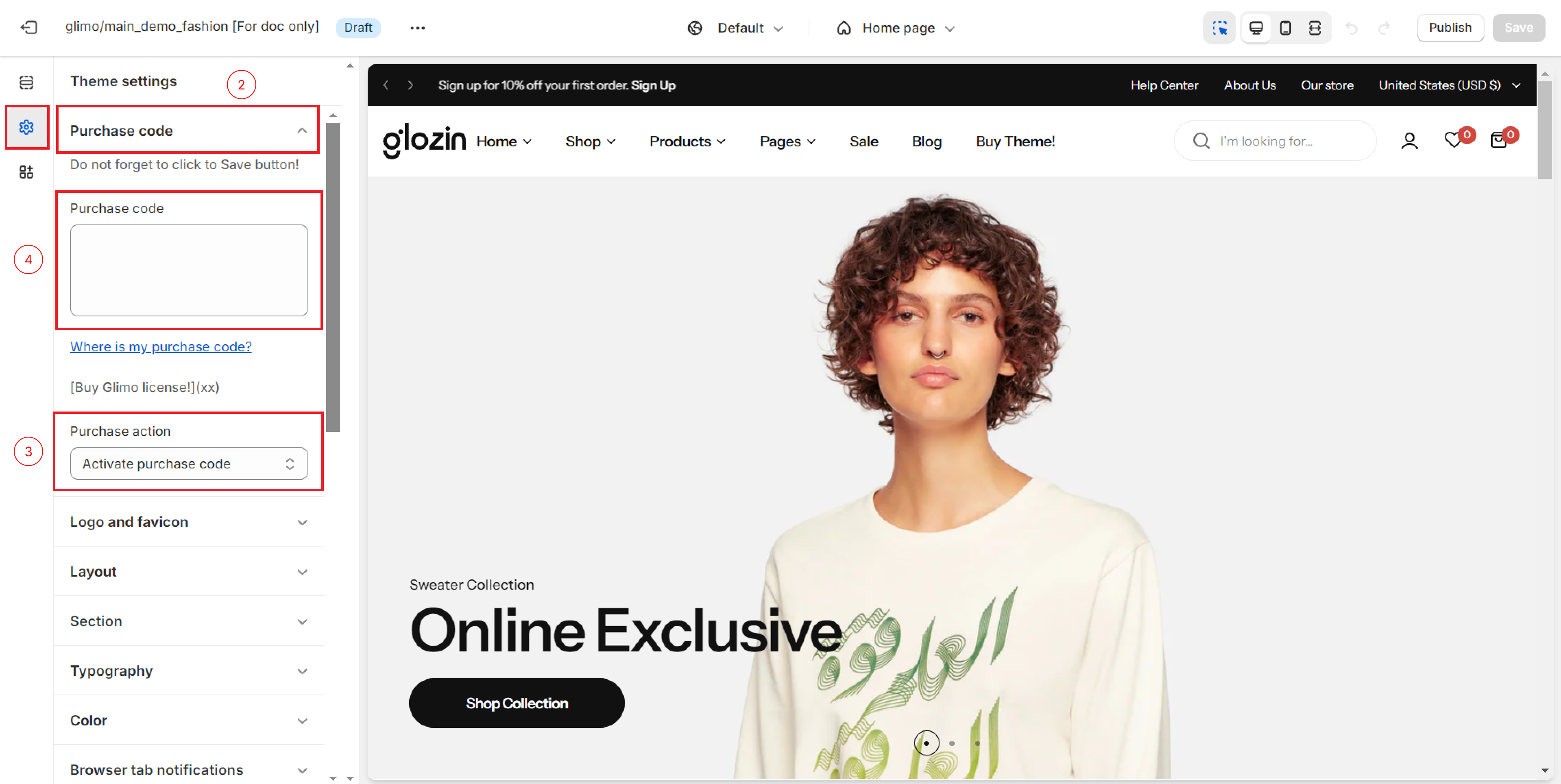
- Click to Theme Setting icon in left menu and select Purchase Code
- Choose Activate purchase code
- Insert your Purchase Code and click Save
Remove purchase code
Steps:
- From your admin, click to Online store ==> Themes ==> Customize
- Click to Theme Setting icon in left menu and select Purchase Code
- Choose Remove purchase code
- Click Save
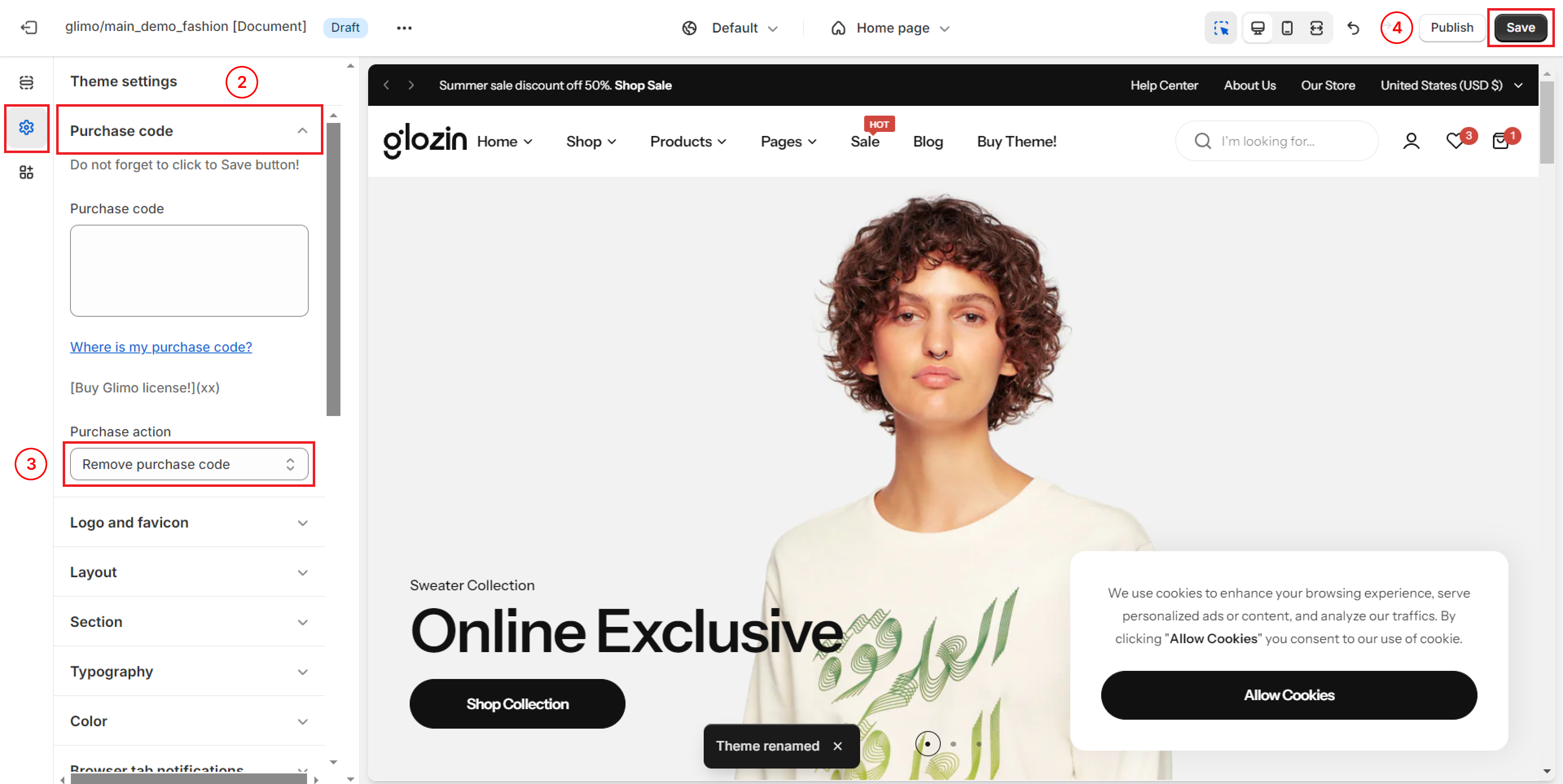
When you remove your purchase code, you must insert the correct purchase code that was activated to the current domain. If you insert the wrong purchase code, it will not be removed.
No comments yet