

Setup Stock notification form
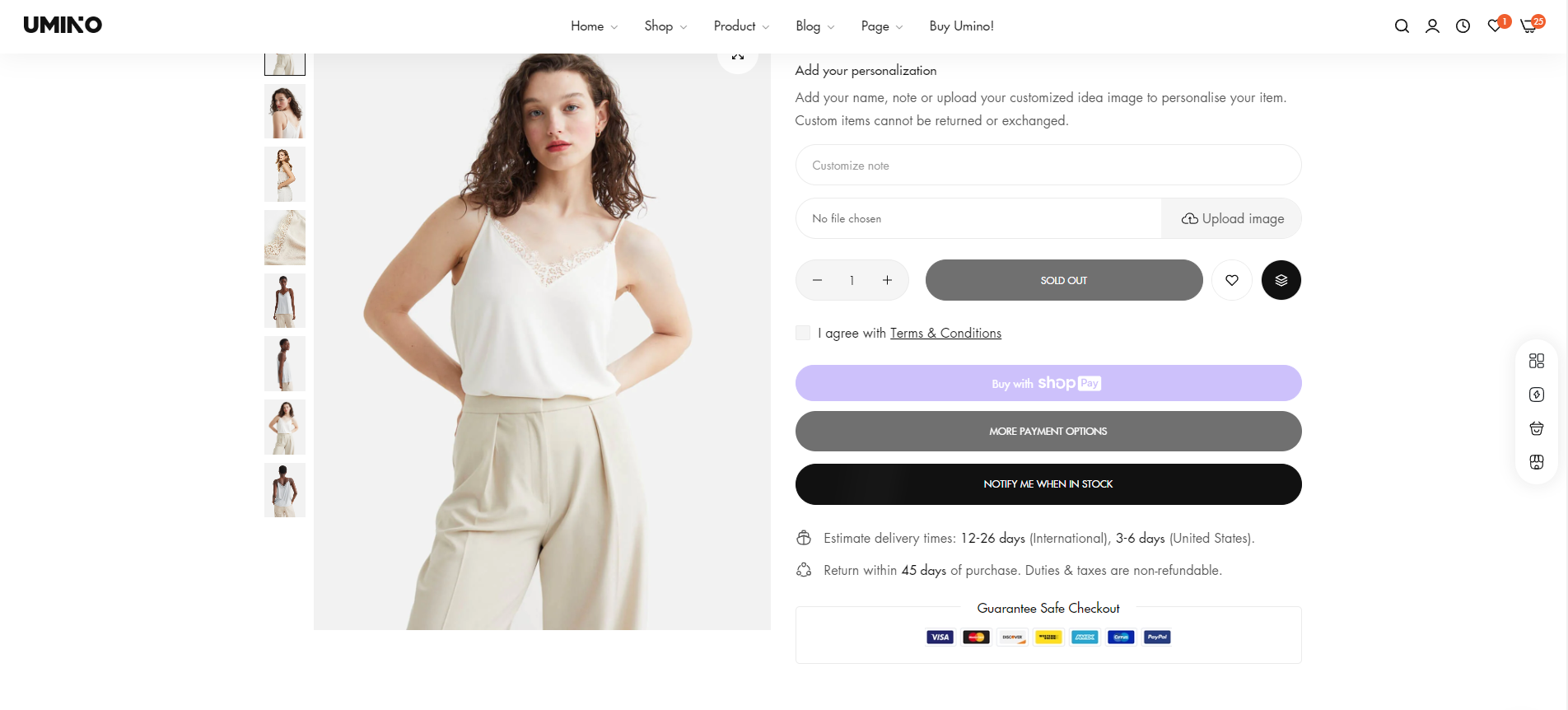
When a product is out of stock, this function will appear and when the user registers, an email notification will be sent to your email store.
\
To setup Product group, please follow these steps:
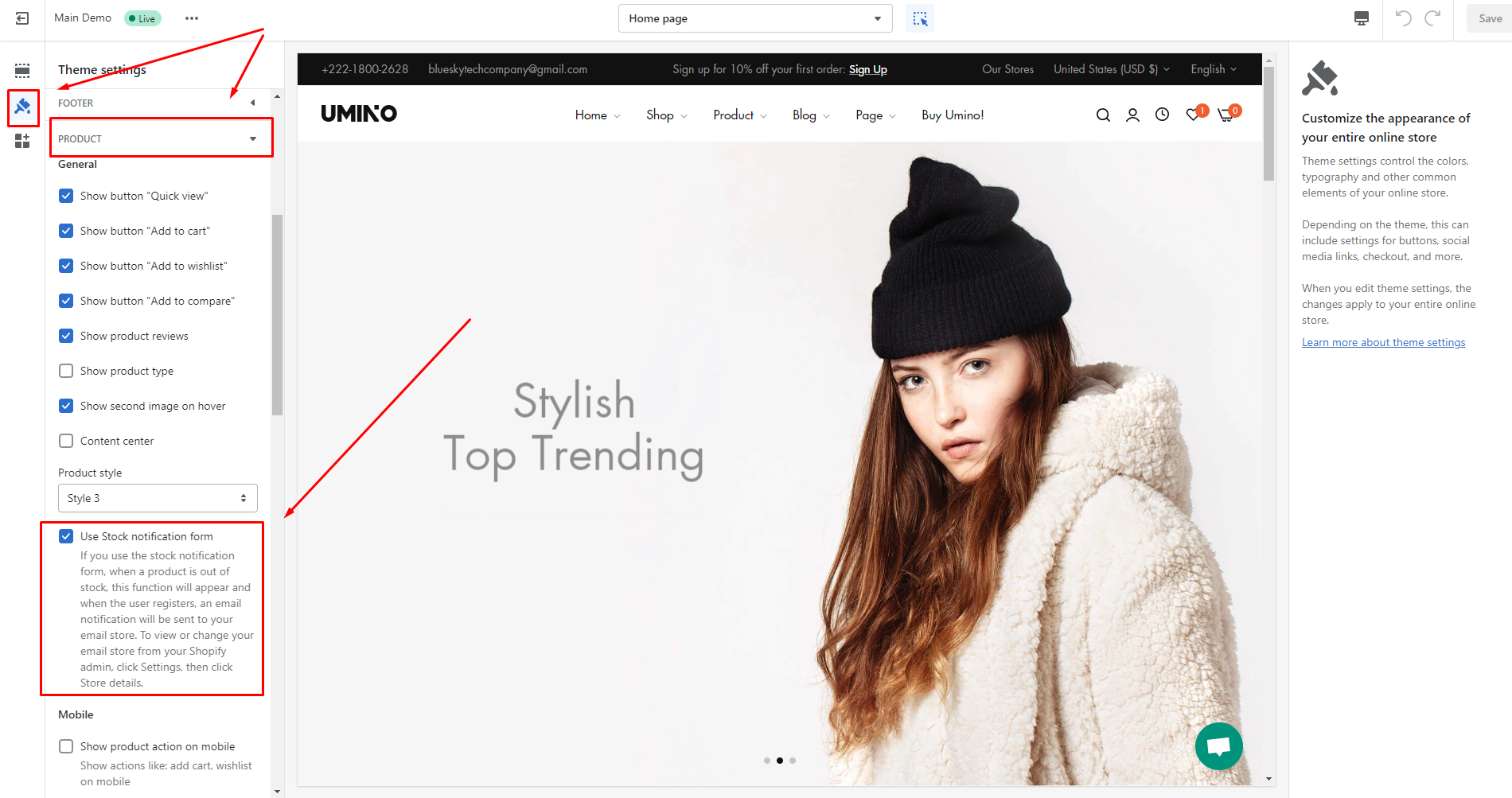
- From your admin, go to Online store -> Themes -> Customize
- Click to Theme settings and select Product
- Click to Use Stock notification form
- Save this change and you can see the result
No comments yet