

Help chat
Bellow, we guide how to use setup crisp chat to your store. You can use other app chat like: live chat, chaport jivo chat,...
Setup help chat.
Bellow, we guide you how to use Crisp chat with Umino.
Steps
First, you need to create an account in: https://crisp.chat/
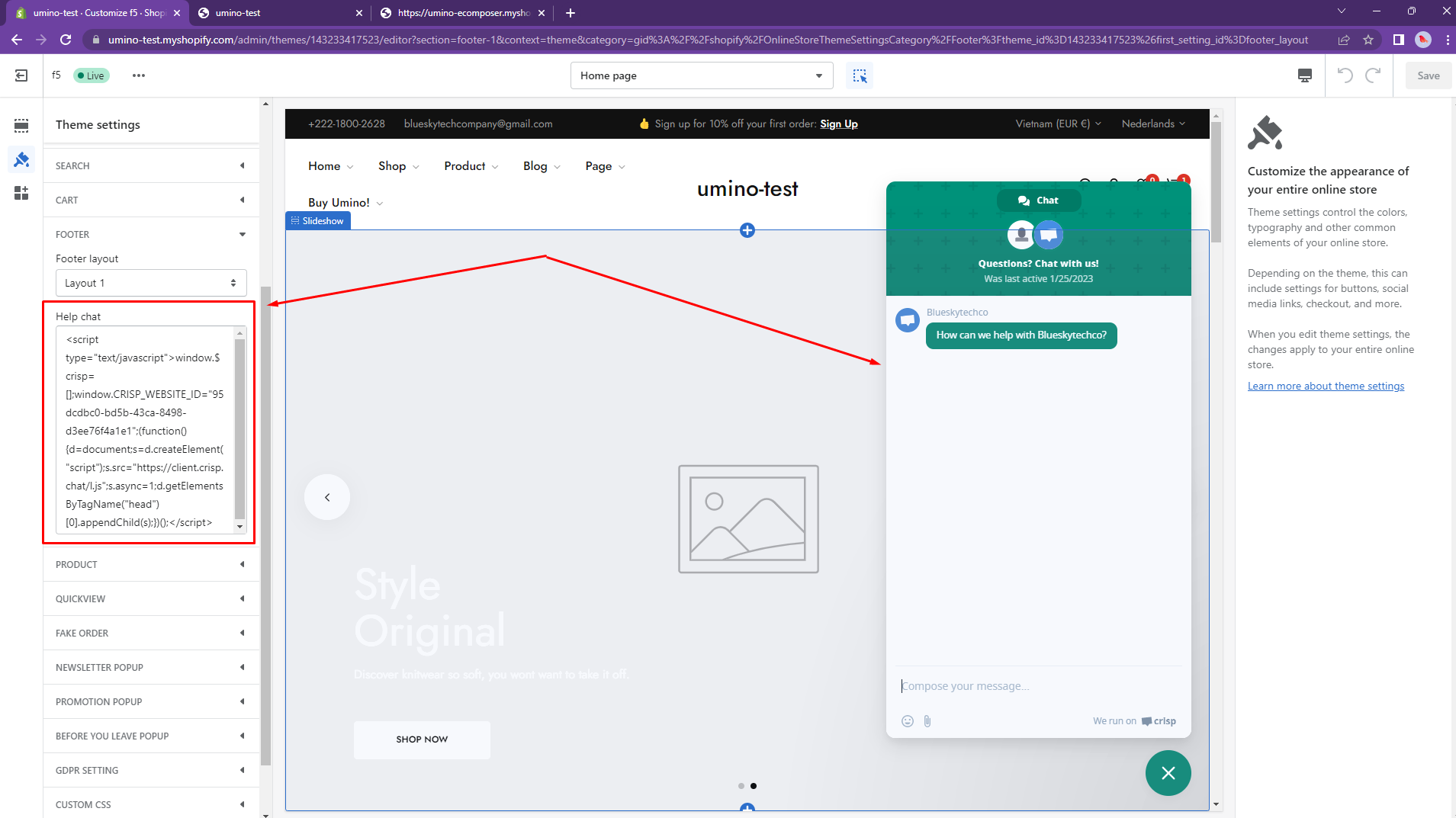
Secondary, you have to copy the code to install chat. Please follow these steps for more information.
- In the theme editor (Customize), click Theme settings
- Locate Footer
- Paste script of live chat then click Save

Remove help chat.
To remove help chat, please follow these steps:
Step:
- From your Shopify admin, go to Online Store -> Themes -> Customize
- Open Theme setting -> Footer
- Leave the box Help Chat empty
- Click Save
No comments yet