

Contact form
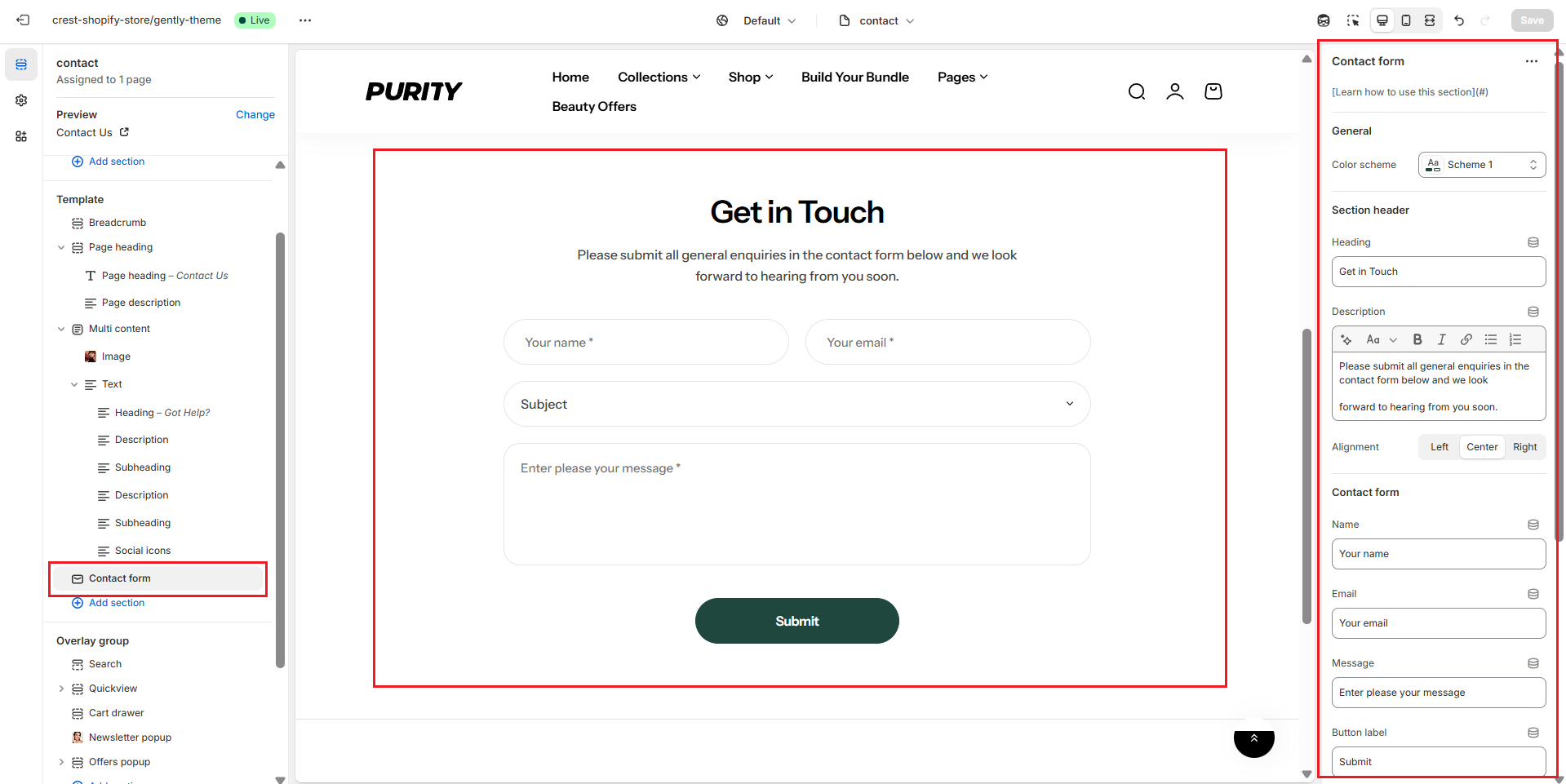
Section settings
General settings
.png)
| Setting | Description |
|---|---|
| Color scheme | Select colors from Theme settings -> Colors |
| Heading | The title of the section |
| Enable heading underline animation | Turn on an animated underline effect for headings. Switch off to keep a static look. |
| Underline style | Choose the underline's look. Include:
* Note: Only appears when Enable heading underline animation is enabled |
| Underline color | Pick the color used for the underline. * Note: Only appears when Enable heading underline animation is enabled |
| Description | The description of the section |
| Alignment | The position of the heading and description.
|
Contact form
.png)
| Setting | Description |
|---|---|
| Name, Email, Message, Button label | The placeholder content for your form |
| Option | This is a dropdown menu that contains the objects that your clients want to contact about. |
Section padding
.png)
| Setting | Description |
|---|---|
| Top | Customize the top margin of the section |
| Bottom | Customize the bottom margin of the section |
Section divider
.png)
| Setting | Description |
|---|---|
| Show divider | Toggles the visibility of a horizontal divider line within the section. |
No comments yet