

Badges
Improve the visibility of product badges to attract customer attention, highlight key product attributes, and support conversion-driven merchandising.
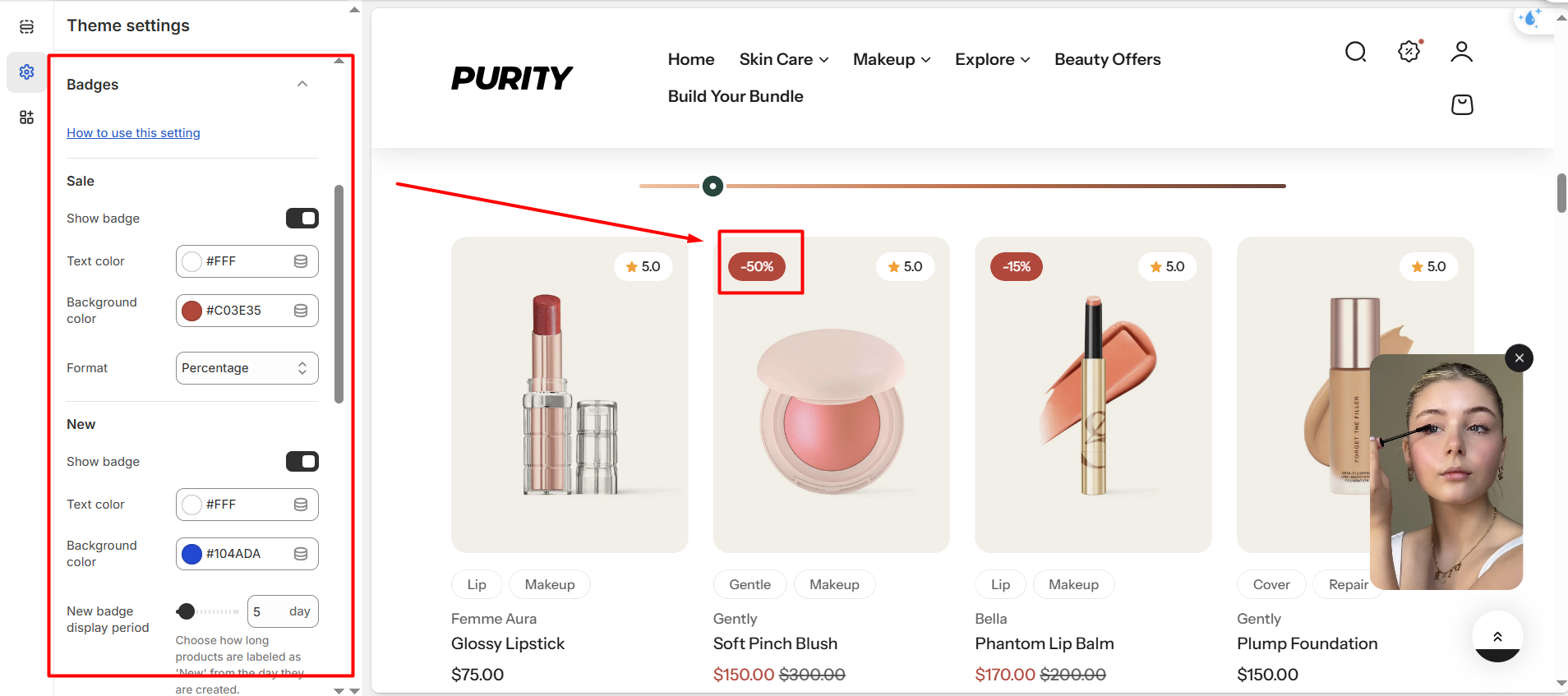
In the Badges settings, you will find settings for the following sections:
1. Sale
Options to show/hide "Sale" badges, select text color, background color, and format of sale badges.
.png)
Purity provides three different formats for displaying sale badges, allowing you to choose the style that best fits your store’s design.
.png)
.png)
.png)
2. New
Easily control the “New” badge by choosing whether to display it, and personalizing its text color and background color to match your store’s design.
The “New” badge is displayed automatically starting from the day a product is created. You can set how many days the badge will remain visible.
.png)
3. Sold out
Easily control the “Sold out” badge by choosing whether to display it, and customizing its text color and background color to match your store’s design.
This badge is shown automatically without requiring any manual setup.
.png)
4. Custom badge
You can choose to show or hide the “Custom” badge, and customize its text and background colors. Please refer to the instructions here to set up this feature.
.png)
No comments yet