

Logo and favicon
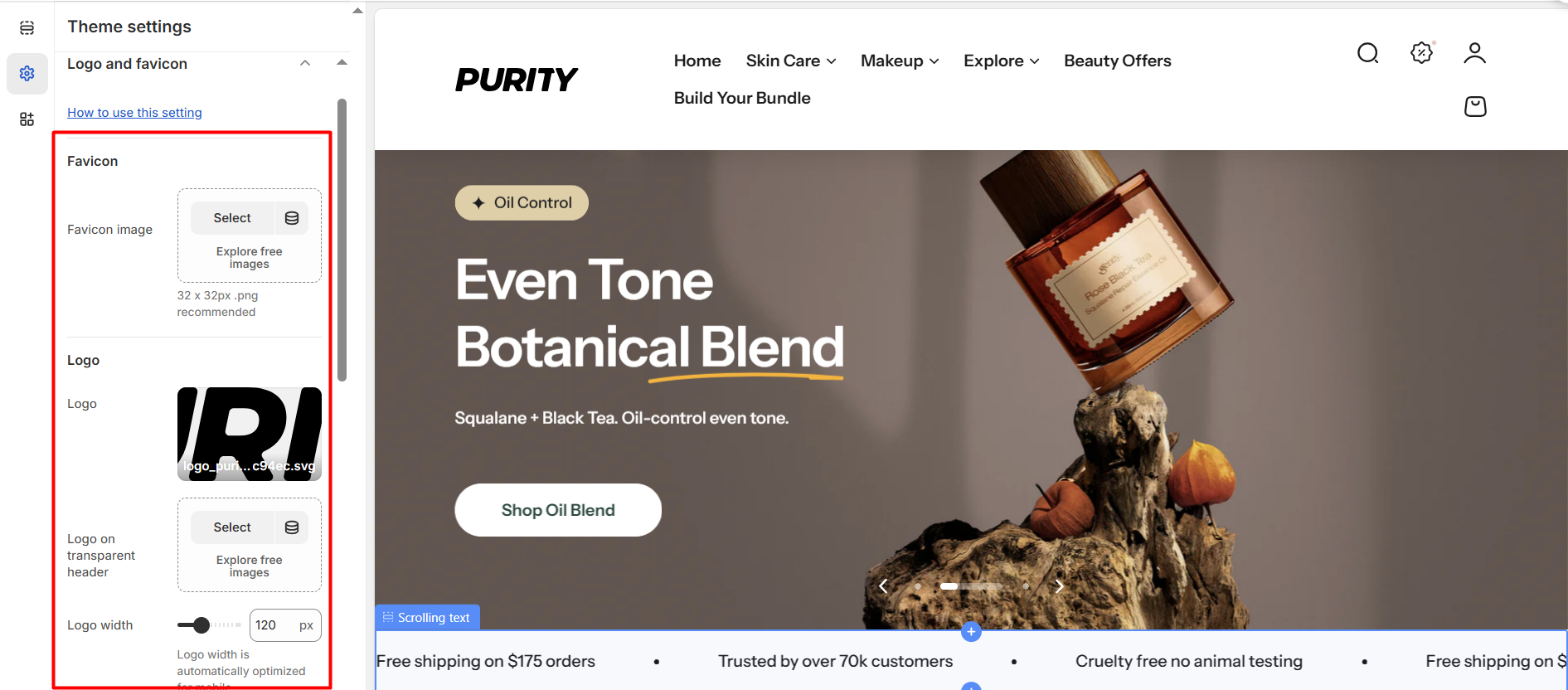
Use the Logo and Favicon settings to upload your store’s branding assets.
| Setting | Description |
|---|---|
| Favicon image | Select the favicon image you wish to upload. It is recommended to use a 32x32 pixel PNG format. |
| Logo | Select an image to display in the standard header. |
| Logo on transparent header | Choose an image for display in the transparent header. |
| Logo width | Resize the logo image by increasing or decreasing the width on desktop. Note: Logo width is automatically optimized for mobile. |
No comments yet